
Choosing the right technology foundation dictates how your company operates, scales, and protects its data. The debate over saas vs traditional software represents a critical strategic decision for any organization. We know that picking between cloud-hosted platforms and on-premise installations directly impacts your bottom line and daily workflows.
You need a clear understanding of both deployment models to make an informed choice. This guide breaks down the core differences, financial implications, and operational realities of each approach. We will explore cost structures, security frameworks, and scalability to help you align your software choices with your long-term business goals.
Summary of Key Takeaways
Understanding the software landscape requires looking beyond basic definitions. Here is what you will take away from this comprehensive guide:
- SaaS offers rapid deployment, predictable subscription costs, and effortless scalability.
- Traditional software provides unparalleled control over data, security, and deep customization.
- Financial models differ drastically, shifting from operational expenses (OpEx) for cloud tools to capital expenses (CapEx) for on-premise systems.
- Your choice depends entirely on your specific regulatory requirements, IT resources, and growth trajectory.
Understanding the Fundamentals
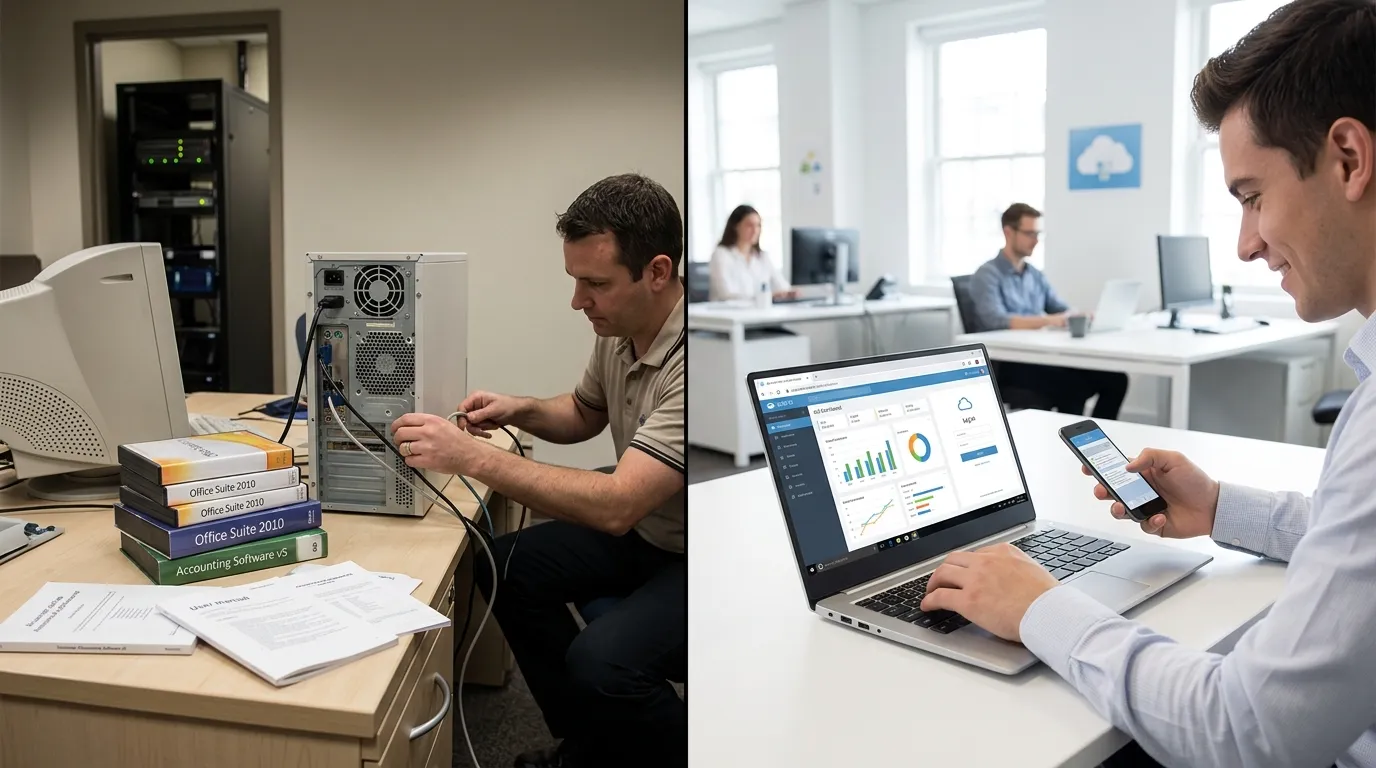
Before diving into a detailed comparison, we must establish a clear understanding of both software delivery models. The fundamental architecture of these systems dictates how your team will interact with them every single day.
What is Software as a Service (SaaS)?
Software as a Service is a cloud-based delivery model where a third-party provider hosts applications and makes them available to customers over the internet. You do not install anything on your local servers. Instead, you access the platform through a web browser or a dedicated desktop application.
The vendor takes full responsibility for maintaining the servers, databases, and code that constitute the application. You pay a recurring subscription fee, usually monthly or annually, to use the service. Examples of SaaS include Google Workspace, Salesforce, and Slack.
Because the infrastructure is managed entirely off-site, you benefit from automatic updates and patches. This model drastically reduces the burden on your internal IT support and infrastructure teams.
What is Traditional Software?
Traditional software, often referred to as on-premise software, operates on a completely different paradigm. You purchase a perpetual license for the software and install it directly onto your own hardware and local servers. Your organization assumes total ownership of the hosting environment.
This model requires a significant upfront investment in physical hardware, server rooms, and the software licenses themselves. You also need a dedicated internal team to manage the infrastructure. Examples include legacy versions of Microsoft Office, enterprise resource planning (ERP) systems hosted locally, and custom-built internal applications.
While this approach requires more effort, it offers total control. Your IT department dictates exactly when updates occur and how data moves through your network. For organizations operating under strict data sovereignty laws, this level of control is often a non-negotiable requirement.
Detailed Comparison: SaaS vs Traditional Software
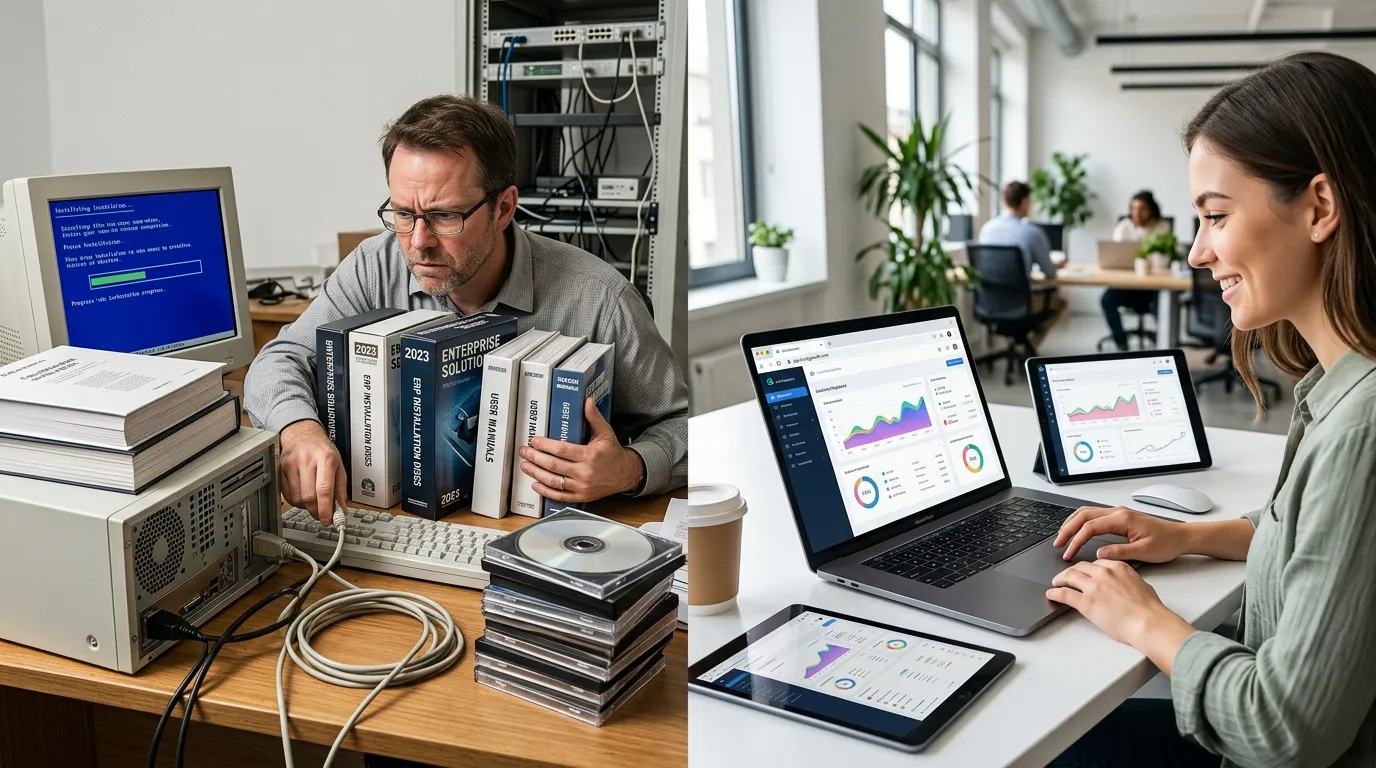
To make the best decision for your organization, we must analyze how these two models perform across several critical business categories.
Cost Structure and Financial Impact
The financial models of these two systems represent one of their most significant differences. SaaS operates on an Operational Expenditure (OpEx) model. You pay a predictable, recurring fee based on the number of users or the volume of data you consume. This lowers the barrier to entry, allowing small and medium businesses to access enterprise-grade tools without a massive upfront investment.
However, SaaS subscriptions run in perpetuity. Over a span of five to ten years, the cumulative cost of a cloud subscription can sometimes exceed the cost of a one-time license. You must carefully project long-term usage to understand the true total cost of ownership.
Traditional software utilizes a Capital Expenditure (CapEx) model. You pay a large, upfront sum to acquire the software license and the necessary hardware to run it. Once purchased, you own the license indefinitely. While this requires substantial initial capital, the month-to-month software costs drop to zero.
Yet, you must account for hidden costs in the traditional model. Hardware degrades and requires replacement. You must pay IT personnel to maintain the servers, and vendors often charge extra for major version upgrades and ongoing technical support. You can read more about evaluating total cost of ownership through resources like Gartner’s IT Cost Optimization guidelines.
Deployment and Implementation Speed
Time to value is a critical metric for any new technology initiative. SaaS solutions offer incredibly rapid deployment. Because the infrastructure already exists on the vendor’s side, provisioning a new account takes mere minutes. Your team can simply log in and begin configuring the application to suit their workflows.
This rapid implementation minimizes downtime and allows your business to pivot quickly when new challenges arise. Even complex enterprise SaaS deployments usually take weeks rather than months.
Traditional software requires a much longer implementation cycle. First, you must procure, rack, and configure the physical servers. Then, you must install the operating systems, databases, and finally, the software itself. This process often involves complex network configurations and rigorous security testing before a single user can access the system.
For large enterprises, deploying a traditional on-premise system can take several months or even years. This sluggish deployment speed can hinder agility and delay the return on your technology investment.
Maintenance, Updates, and IT Burden
Software requires constant attention to remain secure and functional. In the SaaS model, the vendor handles all maintenance. When a security vulnerability is discovered, the provider patches it on their servers, instantly protecting all customers. You never have to schedule downtime or pay consultants to perform routine upgrades.
This shifts the burden away from your internal staff. Your IT team can focus on strategic initiatives, like custom software development or business process optimization, rather than resetting passwords and patching servers.
Traditional software demands relentless internal maintenance. When the vendor releases a patch, your IT team must download it, test it in a staging environment, and manually deploy it to your production servers. This often requires scheduling weekend or overnight downtime to avoid disrupting business operations.
If your team falls behind on these updates, your systems become vulnerable to cyberattacks. Maintaining traditional software requires a highly skilled, dedicated workforce, which significantly increases your operational overhead.
Scalability and Flexibility
Business growth is rarely linear. You need software that can adapt to sudden spikes in demand or changes in team size. SaaS platforms are inherently elastic. If you hire fifty new employees, you simply log into your admin portal and add fifty new licenses. The vendor’s massive cloud infrastructure absorbs the increased workload effortlessly.
This flexibility also applies to downgrading. If you need to scale back operations, you can reduce your subscription tier, instantly lowering your costs.
Scaling traditional software presents a massive logistical challenge. If your application usage outgrows your current server capacity, you must purchase and install new physical hardware. This process involves procurement delays, capital approvals, and manual configuration.
Furthermore, traditional infrastructure forces you to provision for peak demand. If you only need maximum server capacity during a busy holiday season, those expensive servers sit idle for the rest of the year, wasting money and electricity.
Security, Compliance, and Data Control
Security is often the deciding factor in the software selection process. SaaS operates on a shared responsibility model. The vendor secures the infrastructure, the network, and the physical data centers. You are responsible for securing user access, managing permissions, and classifying your data.
Reputable cloud providers invest billions in cybersecurity, employing top-tier experts and securing certifications like SOC 2 and ISO 27001. For most businesses, a major SaaS provider offers better physical and network security than they could ever achieve internally. You can review industry standards at the Cloud Security Alliance.
However, some organizations cannot surrender control of their data to a third party. Traditional software shines in environments with extreme regulatory requirements. By keeping all data on-premise, you maintain absolute sovereignty over where your information resides and who can access it.
Defense contractors, highly regulated financial institutions, and specific healthcare providers often mandate traditional software to comply with localized data privacy laws. With traditional software, you build the fortress around your data, but you are also solely responsible if those walls are breached.
Customization and Integration Capabilities
No two businesses operate exactly alike. You often need to tailor software to match your unique internal processes. SaaS platforms offer robust configuration options, allowing you to change fields, build custom dashboards, and set specific user roles. However, you cannot alter the underlying code.
To connect SaaS tools with other systems, you rely on Application Programming Interfaces (APIs). Most modern cloud platforms feature extensive API ecosystems, making cloud integrations relatively painless.
Traditional software offers limitless customization. Because you host the application, you have direct access to the database and, in some cases, the source code. Your developers can build highly specific workflows, deeply embedded integrations, and custom modules that a SaaS vendor would never support.
This deep customization comes with a hidden risk. Highly customized on-premise software becomes brittle over time. When the vendor releases a core update, your custom code may break, forcing you to rewrite expensive integrations from scratch.
The Advantages and Disadvantages

To summarize the operational realities, we must look at the distinct pros and cons of both methodologies.
Pros and Cons of SaaS
Advantages:
- Zero hardware investments or server maintenance required.
- Predictable, budget-friendly subscription pricing.
- Global accessibility from any internet-connected device.
- Automatic, seamless updates and security patches.
- Effortless scalability to match business growth.
Disadvantages:
- Total reliance on a stable internet connection.
- Relinquishing direct control over data storage and infrastructure.
- Potential for vendor lock-in, making migration difficult.
- Less capacity for deep, code-level customization.
- Subscription costs can compound heavily over a long timeframe.
Pros and Cons of Traditional Software
Advantages:
- Absolute control over your data, security protocols, and hardware.
- Ability to function perfectly without an external internet connection.
- Deep customization capabilities to match highly specific business processes.
- No recurring software subscription fees after the initial purchase.
- Easier compliance with strict, localized data sovereignty regulations.
Disadvantages:
- Massive upfront capital required for hardware and licensing.
- Implementation can take months and requires specialized personnel.
- Internal teams must handle all patches, updates, and troubleshooting.
- Scaling requires buying and installing new physical servers.
- Remote access requires complex, often clunky VPN setups.
Structured Comparison Table
Here is a side-by-side breakdown to help you visualize the differences.
|
Feature |
Software as a Service (SaaS) |
Traditional (On-Premise) Software |
|---|---|---|
|
Hosting |
Vendor’s cloud infrastructure |
Your internal servers |
|
Pricing Model |
OpEx (Recurring subscription) |
CapEx (Large upfront license) |
|
Maintenance |
Managed entirely by the vendor |
Managed entirely by your IT team |
|
Implementation |
Days to weeks |
Months to years |
|
Customization |
Configuration and APIs |
Deep, code-level modifications |
|
Scalability |
Instant and elastic |
Slow and hardware-dependent |
|
Security Control |
Shared responsibility |
Complete internal control |
|
Offline Access |
Generally not available |
Fully supported |
Real-World Scenarios and Practical Examples
Theory is helpful, but applying these concepts to real-world scenarios makes the decision much clearer.
When to Choose SaaS
SaaS is the optimal choice for startups, fast-growing companies, and organizations with highly distributed workforces. If your team works remotely across multiple time zones, cloud tools provide the seamless access they need.
Consider a mid-sized marketing agency. They need project management software, a CRM, and design tools. By choosing SaaS platforms, they avoid buying servers and hiring a system administrator. They can scale their software licenses up or down depending on how many freelancers they hire for a specific campaign.
When to Choose Traditional Software
Traditional software remains relevant for established enterprises with specific constraints. Organizations operating in manufacturing, defense, or highly regulated banking environments often default to on-premise solutions.
Imagine a large manufacturing plant operating in a remote area with unreliable internet infrastructure. If their production line relies on software to manage robotic arms and inventory, they cannot risk a cloud outage stopping production. An on-premise traditional software deployment ensures their factory runs smoothly, regardless of external network conditions. For insights into enterprise architecture, organizations often consult frameworks provided by institutes like IEEE.
Common Mistakes to Avoid
When evaluating software models, companies frequently make predictable errors. Avoid these common pitfalls to ensure a successful technology rollout.
First, never ignore the total cost of ownership. Do not simply compare the monthly SaaS fee against the one-time software license. You must calculate the cost of electricity, server cooling, IT salaries, and eventual hardware replacement when evaluating the traditional route.
Second, avoid underestimating data migration challenges. Moving gigabytes of legacy data into a new cloud system requires meticulous planning. Failing to clean and map your data before migrating will result in a messy, unusable new system.
Finally, do not assume SaaS is inherently insecure. Many executives mistakenly believe that holding a server in their own building makes it safer. Unless you employ a team of dedicated cybersecurity experts, a major cloud provider’s data center is likely far more secure than your local server closet.
Expert Insights and Future Trends
The software landscape continues to evolve rapidly. We are seeing a distinct shift toward hybrid architectures that attempt to capture the best of both worlds.
In a hybrid model, a company might keep its highly sensitive customer database on a secure, traditional on-premise server. However, they connect that database to a SaaS analytics platform to process the data efficiently. This allows them to maintain regulatory compliance while leveraging the immense computing power of the cloud.
Furthermore, the integration of Artificial Intelligence is driving more companies toward SaaS. AI requires massive computational resources that are too expensive for most companies to host on-premise. By utilizing cloud engineering services, businesses can access cutting-edge AI features seamlessly through their existing SaaS subscriptions.
Conclusion
The choice between saas vs traditional software shapes the future of your operational efficiency. Cloud-based platforms deliver unmatched speed, scalability, and ease of use, making them the default choice for most modern businesses. Conversely, on-premise systems remain a powerful tool for organizations demanding absolute control, offline capabilities, and rigid data sovereignty. Evaluate your financial models, regulatory requirements, and IT bandwidth carefully. By aligning your technology deployment with your strategic objectives, you empower your team to work smarter and drive sustainable growth.
FAQs
What is the main difference between SaaS and traditional software?
SaaS is hosted by a third-party vendor in the cloud and paid for via a recurring subscription. Traditional software is purchased via a one-time license and installed locally on your own hardware and servers.
Is SaaS cheaper than traditional software?
SaaS requires a much lower initial investment, making it highly cost-effective upfront. However, over a long period (e.g., 10 years), the cumulative subscription fees can sometimes surpass the cost of purchasing and maintaining a traditional on-premise system.
Which model is more secure?
SaaS providers invest heavily in enterprise-grade security and automated patching, making them highly secure. Traditional software offers absolute control over data, which is better for strict regulatory compliance, but it relies entirely on your internal team’s ability to prevent breaches.
Can traditional software operate without the internet?
Yes. One of the primary benefits of traditional, on-premise software is that it runs on your local network. It will continue to function perfectly even if your external internet connection goes down.
How difficult is it to migrate from traditional software to SaaS?
Migration can be complex depending on the volume of data and the level of customization in your old system. It requires careful data cleansing, mapping, and a structured transition plan to ensure no critical information is lost.
Do I need an IT team to use SaaS?
You need significantly less IT support for SaaS compared to traditional software. The vendor handles server maintenance and updates. However, you still need personnel to manage user access, software configuration, and data integration.
What happens if my SaaS provider goes out of business?
This is a risk known as vendor lock-in. Before signing a contract, ensure your Service Level Agreement (SLA) includes clear data portability clauses, allowing you to export your data in a usable format if the vendor shuts down.
Can I customize SaaS applications?
You can highly configure SaaS applications using built-in settings and APIs to connect with other tools. However, you cannot access or rewrite the underlying source code, which limits deep, structural customization compared to traditional software.
What is a hybrid software model?
A hybrid model combines both approaches. A company might host sensitive core data on traditional, on-premise servers while using connected SaaS applications for front-end tasks like customer relationship management or analytics.
Why are companies moving away from traditional software?
Companies are shifting to SaaS to reduce IT overhead, increase remote work accessibility, avoid massive hardware investments, and benefit from the rapid, automatic feature updates that cloud platforms provide.