
Understanding how saas works is essential for modern business success. Software as a Service has revolutionized the way organizations deploy, manage, and consume technology. Instead of purchasing expensive hardware and dealing with endless local installations, companies now rely on agile, cloud-hosted platforms. This comprehensive guide breaks down the architecture, financial models, practical benefits, and potential pitfalls of this transformative software delivery method to help you make informed decisions for your enterprise.
Summary of Key Takeaways
Grasping the intricacies of cloud-based applications will empower your digital transformation. Here is what you will take away from this detailed guide:
- SaaS eliminates the need for local hardware by hosting applications centrally in the cloud.
- Multi-tenant architecture allows providers to serve thousands of customers from a single codebase securely.
- The model shifts IT spending from large upfront capital expenses (CapEx) to predictable operational expenses (OpEx).
- Seamless integration, automatic updates, and remote accessibility make it the preferred choice for scaling businesses.
Understanding How SaaS Works: The Fundamentals
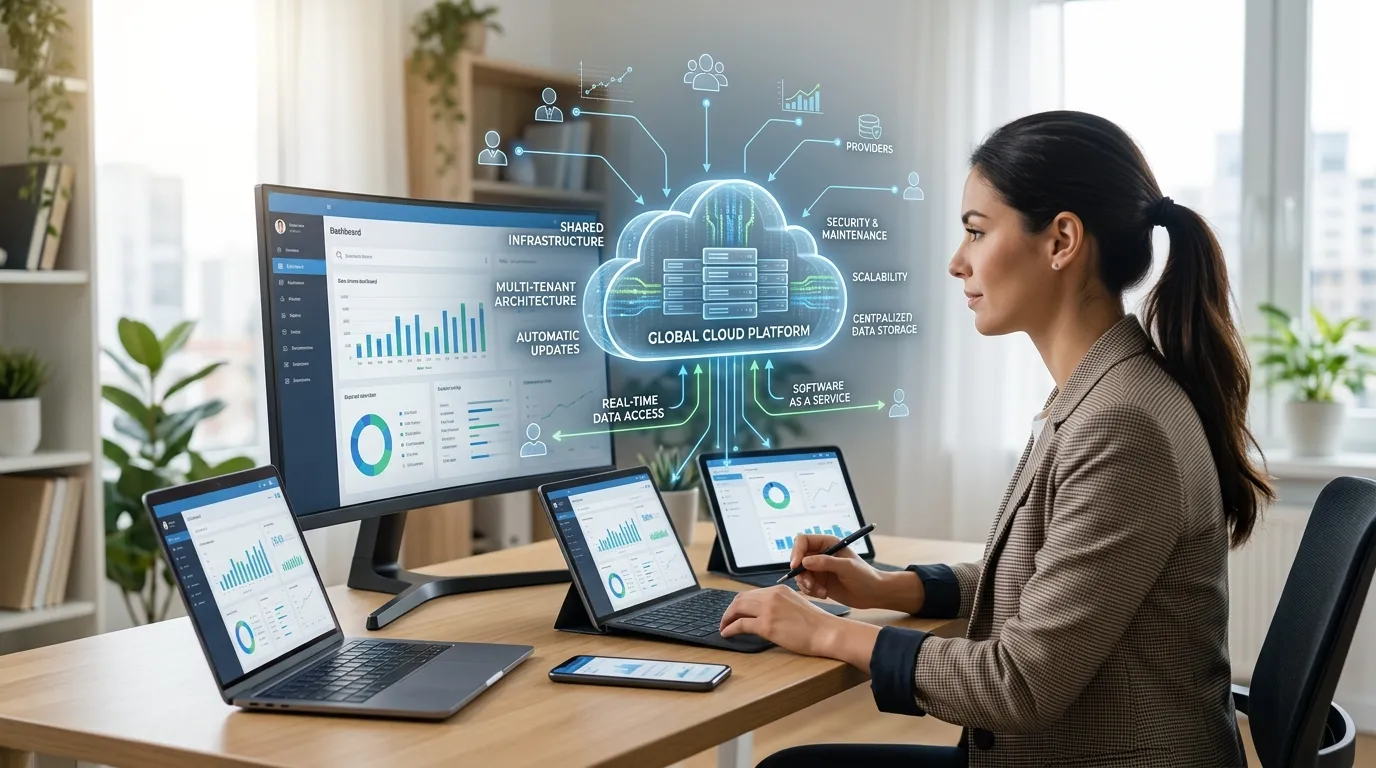
To fully appreciate the impact of this software model, we must first look at its foundational mechanics. At its core, Software as a Service is a software distribution model where a third-party provider hosts applications and makes them available to customers over the internet. You do not download or install the software on your local machines. Instead, you access it through a standard web browser or a dedicated mobile application.
The vendor takes absolute responsibility for maintaining the servers, databases, and underlying code that power the application. You pay a recurring subscription fee, usually billed monthly or annually, to maintain your access. This subscription covers the software license, secure data hosting, ongoing technical support, and continuous feature updates.
By removing the friction of local installation, providers can rapidly deploy new features and security patches to all users simultaneously. When you log in on a Tuesday, you might instantly have access to a new feature that the developers pushed to the live servers on Monday night. This continuous delivery model ensures that you are always using the most secure, up-to-date version of the platform without lifting a finger.
The Core Architecture Behind SaaS Applications

The magic of cloud software lies in how it is engineered behind the scenes. Developers build these platforms to be infinitely scalable, highly secure, and incredibly efficient.
Multi-Tenant Architecture
The defining characteristic of modern cloud software is multi-tenant architecture. In a multi-tenant environment, a single instance of the software application and its supporting infrastructure serves multiple customers. Each customer is called a “tenant.”
Even though all tenants share the same central application and database infrastructure, the provider heavily partitions and secures the data. Your data remains completely invisible and inaccessible to every other tenant. This architecture allows the provider to maximize resource efficiency. When the vendor updates the core application, the upgrade instantly rolls out to every tenant on the system. This centralized management is what makes the subscription model financially viable for both the developer and the end-user.
Centralized Cloud Hosting
SaaS providers rarely host their applications on physical servers sitting in their own office buildings. Instead, they rely on massive, hyper-scale cloud environments provided by companies like Amazon Web Services (AWS), Google Cloud, or Microsoft Azure. You can read more about global cloud infrastructure standards from authoritative organizations like Gartner.
These hyper-scale environments offer built-in redundancies. If one physical server fails, the system instantly routes traffic to another healthy server, ensuring your application stays online. This centralized hosting model provides load balancing, automated data backups, and robust disaster recovery capabilities that most individual companies could never afford to build internally.
APIs and Seamless Interconnectivity
No software operates in a vacuum. Businesses rely on a massive web of interconnected tools. To facilitate this, providers build robust Application Programming Interfaces (APIs). APIs act as digital bridges, allowing different cloud applications to communicate and share data with one another securely.
For example, your marketing platform can use an API to automatically push new lead data into your customer relationship management (CRM) system. These cloud integrations eliminate manual data entry, reduce human error, and create highly automated workflows across your entire organization.
Key Benefits of the SaaS Model
The rapid global adoption of cloud software is no accident. The model provides overwhelming advantages for businesses of all sizes, from agile startups to massive global enterprises.
Unmatched Cost-Effectiveness
Traditional software requires a massive upfront investment. You must buy the servers, purchase perpetual software licenses, and pay IT professionals to configure everything. SaaS completely eliminates this barrier to entry.
You pay a predictable monthly or annual fee. This shifts your technology budget from a Capital Expenditure (CapEx) to an Operational Expenditure (OpEx). For small businesses, this means you can access enterprise-grade software that would have been financially impossible to deploy just a decade ago.
Effortless Scalability
Business growth brings technical challenges. If your company doubles in size, traditional software requires you to buy new hardware to support the extra users. Cloud applications are inherently elastic. If you need to onboard fifty new employees, you simply log into your administrator dashboard, adjust your subscription tier, and assign the new seats. The provider’s infrastructure absorbs the increased workload effortlessly.
This scalability works in reverse as well. If you need to downsize, you can easily reduce your license count, instantly lowering your operational costs.
Automatic Updates and Reduced IT Burden
Maintaining on-premise software requires relentless effort. Your internal IT support and infrastructure team must test and deploy patches, monitor server health, and troubleshoot local network issues.
With a cloud subscription, the vendor handles all of this. They monitor security vulnerabilities, deploy patches, and upgrade features silently in the background. This frees your internal technical teams to focus on strategic initiatives, such as custom software development for proprietary internal tools, rather than performing basic maintenance tasks.
Global Accessibility for Remote Teams
Modern workforces are highly distributed. Employees need access to their tools whether they are sitting in a corporate office, working from a home desk, or traveling internationally. Because cloud software lives on the internet, it is inherently borderless. As long as your employees have a stable internet connection and the correct login credentials, they can access the full power of the application from anywhere in the world.
Common Challenges and Limitations
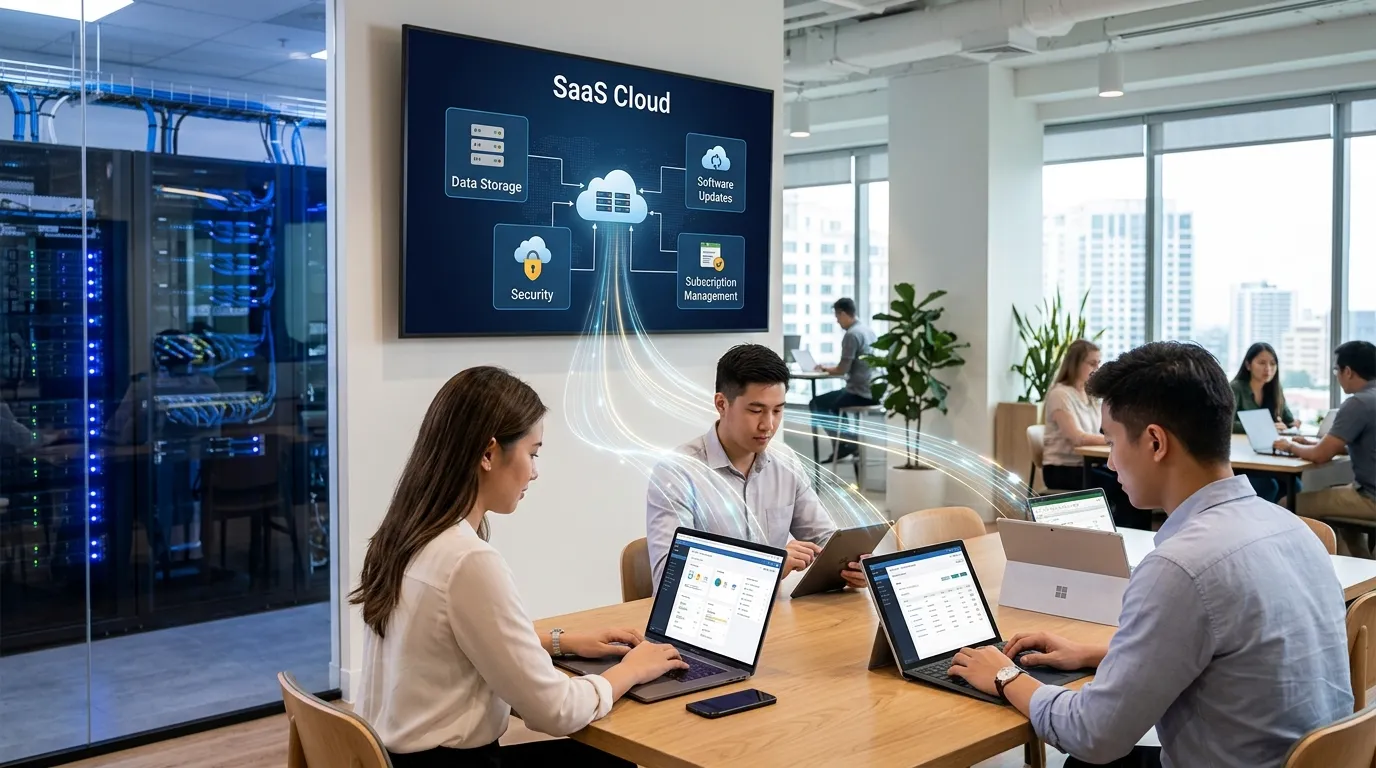
Despite its immense benefits, the subscription software model does introduce specific risks and operational challenges that leaders must carefully navigate.
Data Security and Privacy Concerns
When you adopt cloud software, you entrust your sensitive corporate data to a third-party vendor. While major providers invest billions in cybersecurity, handing over control requires absolute trust. You must thoroughly vet a provider’s security certifications, such as SOC 2 or ISO 27001 compliance. You can explore modern security frameworks at the Cloud Security Alliance.
Furthermore, strict data sovereignty laws (like GDPR in Europe) dictate exactly where and how you can store consumer data. You must ensure your chosen vendor operates data centers in compliant geographic regions.
Total Reliance on Internet Connectivity
Cloud applications are useless without an internet connection. If your office experiences a network outage, or if a remote employee loses their Wi-Fi connection, productivity grinds to an absolute halt. While some applications offer limited offline modes, the core functionality relies entirely on a stable, high-speed web connection.
The Risk of Vendor Lock-in
Migrating away from a cloud platform can be a nightmare. Over time, your team deeply embeds their workflows into the specific application. Your databases fill with years of historical information. If the vendor suddenly raises their prices, or if their customer service quality drops, moving to a competitor requires a massive data migration effort. Always ensure your Service Level Agreement (SLA) guarantees your right to export your data in a clean, usable format at any time.
SaaS vs Traditional Software: A Detailed Comparison
To truly grasp the impact of the cloud, we must compare it directly to legacy, on-premise solutions.
|
Feature |
Software as a Service (SaaS) |
Traditional (On-Premise) Software |
|---|---|---|
|
Hosting Location |
Vendor’s centralized cloud servers |
Your internal corporate servers |
|
Pricing Model |
Recurring subscription (OpEx) |
One-time upfront license (CapEx) |
|
Deployment Speed |
Minutes to days |
Months to years |
|
Maintenance |
Handled entirely by the vendor |
Handled by your internal IT team |
|
Scalability |
Instant and highly elastic |
Slow, requiring physical hardware |
|
Customization |
Configuration and API limits |
Deep, code-level access |
|
Offline Functionality |
Highly restricted or impossible |
Fully functional without internet |
Practical Use Cases and Real-World Examples
The cloud delivery model has infiltrated almost every conceivable software category. Here are a few practical examples of how companies utilize these tools daily.
Customer Relationship Management (CRM)
Platforms like Salesforce or HubSpot dominate the CRM landscape. Sales teams use these cloud-hosted tools to track leads, log communication history, and forecast revenue. Because the system is cloud-based, a sales representative can pull up a client’s history on their mobile phone while standing in the client’s lobby just moments before a big meeting.
Collaboration and Productivity
Applications like Google Workspace, Microsoft 365, and Slack have replaced traditional desktop word processors and localized email servers. Multiple employees can edit a single document simultaneously in real-time, eliminating the confusing version-control issues that plagued older software systems.
Human Resources and Payroll
Modern HR departments rely on platforms like Workday or Gusto to manage employee onboarding, track vacation time, and process complex payroll calculations. These vendors automatically update their systems to comply with changing tax laws and labor regulations, ensuring your company remains legally compliant without manual intervention.
Expert Insights: Pro Tips for Choosing a Provider
Selecting the right vendor is a critical strategic decision. Here are expert insights to guide your procurement process.
First, heavily scrutinize the Service Level Agreement (SLA). The SLA dictates the vendor’s guaranteed uptime percentage. Look for providers offering at least 99.9% uptime, financially backed by service credits if they fail to meet that standard.
Second, evaluate their API ecosystem. A tool is only useful if it plays nicely with your existing technology stack. Before signing a contract, verify that the platform offers native integrations with the tools your team already uses daily.
Third, plan for your exit before you enter. Ask the vendor explicitly how you can extract your data if you decide to leave. If the vendor makes data extraction difficult, overly complex, or expensive, walk away.
Common Mistakes to Avoid When Implementing Cloud Software
Many organizations stumble during the rollout phase. Avoid these frequent pitfalls to ensure high user adoption and rapid time-to-value.
Do not ignore user training. Simply buying a subscription does not magically improve productivity. You must invest time in training your staff on how to use the new workflows. Resistance to change is natural, so you must clearly communicate how the new tool will make their daily jobs easier.
Avoid “SaaS Sprawl.” When individual departments buy their own subscriptions without consulting centralized IT, you end up with redundant applications, wasted budgets, and disjointed data silos. Implement a centralized procurement policy to maintain visibility over all software spending.
Finally, do not blindly trust default security settings. While the provider secures the infrastructure, you are responsible for securing user access. Immediately enforce Multi-Factor Authentication (MFA) and establish strict role-based access controls to prevent unauthorized data breaches.
Looking Ahead: The Future of Cloud Software
The industry continues to evolve at a breakneck pace. We are currently witnessing the rise of Vertical SaaS—cloud platforms built specifically for highly niche industries, such as software designed exclusively for dental clinics or construction management.
Furthermore, Artificial Intelligence is reshaping the landscape. Providers are weaving powerful generative AI directly into their platforms, allowing users to automate complex data analysis, draft emails instantly, and predict customer behavior with terrifying accuracy. As you continue your enterprise digital transformation, leaning into these intelligent, cloud-based tools will be the ultimate differentiator between market leaders and those left behind.
Conclusion
Knowing exactly how saas works gives your organization a tremendous competitive advantage. By shifting away from rigid, expensive legacy systems, you unlock unparalleled scalability, seamless collaboration, and robust security frameworks. While challenges like data privacy and internet dependency require careful navigation, the overwhelming benefits of predictable costs and automatic updates make the cloud model indispensable. Evaluate your business workflows, choose vendors with robust API ecosystems, and empower your team to thrive in the modern digital economy.
FAQs
What exactly is Software as a Service?
It is a cloud computing model where a third-party vendor hosts applications on highly secure servers and makes them available to users over the internet, typically via a subscription fee.
Do I need to install anything on my computer?
No. One of the primary benefits is that you access the application through a standard web browser or mobile app, completely eliminating the need for local hardware installation.
Is cloud software actually secure?
Yes, reputable providers invest heavily in enterprise-grade security protocols, encryption, and automated patching. However, you must still practice good security hygiene by enforcing strong passwords and multi-factor authentication.
What happens if my internet connection goes down?
Because the software is hosted remotely, you will generally lose access to the application and your real-time data until your internet connection is restored.
How do pricing models usually work?
Most providers charge a recurring operational expense (OpEx), billed monthly or annually. Pricing is usually tiered based on the number of user seats you require or the volume of data you consume.
Can I customize a cloud application to fit my business?
You can highly configure the user interface, create custom data fields, and build integrations via APIs. However, you cannot alter the fundamental underlying source code of the application.
What is multi-tenant architecture?
It is an infrastructure design where a single instance of the software serves multiple different customers (tenants) simultaneously, while keeping each customer’s data strictly segregated and secure.
How does the software stay updated?
The vendor deploys updates, bug fixes, and new features directly to their central servers. These updates instantly reflect on your end the next time you log in, requiring zero effort from your internal IT team.
What is the difference between CapEx and OpEx in software?
CapEx (Capital Expenditure) refers to large upfront investments like buying physical servers and perpetual licenses. OpEx (Operational Expenditure) refers to ongoing, predictable subscription costs used in cloud models.
How do I migrate away from a cloud provider if I am unhappy?
You must export your historical data from the provider’s database, map that data to match the architecture of your new system, and carefully import it. Always verify data export policies in your SLA before signing a contract.